


OAN: Live Breaking News
3.73.43K Reviews
App Specs
- Version
- 1.2
- Updated On
- License
- Free
- Downloads
- 1,000,000+
- Developer
- Herring Networks Inc.
- Categories
- News & Magazines
- Platform
- Android, iOS
Screenshots


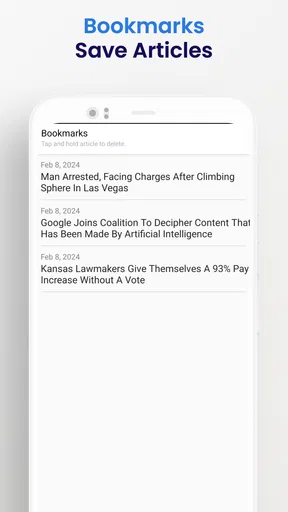
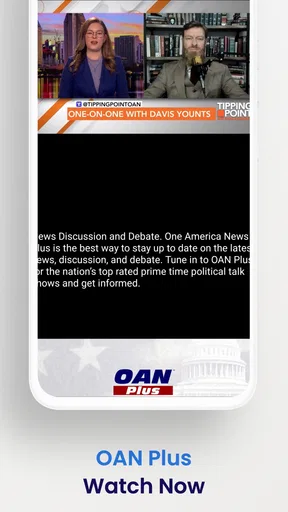
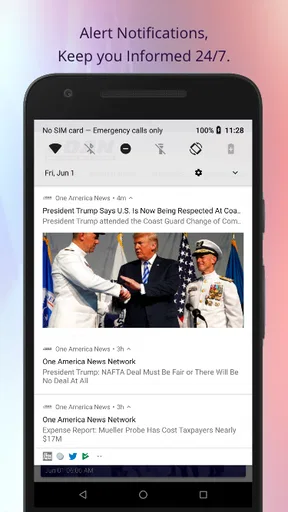

 Analysis by AppCompare
If you are looking for a straightforward way to follow One America News Network from your phone, OAN: Live Breaking News is built around that simple purpose. I found it most useful as a focused news app rather than a complete replacement for every news source I use. It puts the OAN experience in a mobile format, so the main value is convenience: I can check the latest coverage without opening a browser and searching for the network each time.
The app is free to download and belongs to the News & Magazines category. It comes from Herring Networks Inc., the developer behind the network, and is intended for a Teen audience. That age guidance is worth keeping in mind because news coverage can include serious, political, or otherwise mature subject matter. I would not install it expecting a neutral, all-purpose news dashboard. I would install it because I specifically want access to OAN’s reporting and presentation on Android.
What to expect when you open OAN: Live Breaking News
The first thing I noticed is that the app feels like a direct news destination, not a social feed or a personalized newspaper. That can be a strength when I already know what I want to check. Instead of sorting through a crowded collection of unrelated publishers, I can open the app with a clear expectation: I am entering the OAN news environment.
That focused approach also defines its main limitation. If you want several viewpoints gathered in one place, this app will not replace an aggregator that combines national outlets, local reporting, specialist publications, and wire services. I see it as one source in a wider reading routine. Using it alongside other reputable outlets makes more sense to me than treating a single-network app as the entire picture.
The store information describes it as a credible source for news, but I prefer to judge a news app by how easily it helps me read, check, and follow stories in daily life. In that respect, its appeal is direct access. The experience is best for someone who already follows OAN, wants a dedicated mobile entry point, or prefers checking a network’s coverage without relying on a general browser tab.
It has reached over one million installs, and the average rating is 3.7. I read those figures as a sign of a recognizable but not universally loved app. The rating is not a reason to avoid it, but it does suggest that expectations should stay realistic. A dedicated news app can be useful while still having moments that feel less polished than the best broad news platforms.
The kind of reader who will get the most from it
I would recommend trying it if your news routine is already centered on OAN. It is also a reasonable choice if you want a separate app for checking breaking coverage rather than mixing news with email, social media, and browser bookmarks. The free price removes the need to make a subscription decision before testing whether the app fits your habits.
Worth Reading Before You Choose

EA SPORTS FC Mobile 26 Is a Bigger Football Game, but It Takes Time

Flipboard Shows What News Apps Must Do Beyond the Feed

Switching to Android Auto Means Rethinking Your Driving Routine

Google Calendar Makes a Crowded Week Easier to Manage

Ludo King Makes the Most of the Minutes Between Plans

Baby Panda World Brings Quick Play to Modern Phones, but Its Game Library Feels Busy
On the other hand, I would skip it as a primary choice if your priority is broad source comparison, deep local coverage, extensive topic customization, or a carefully balanced selection from many editorial perspectives. A general news aggregator will usually be better for that job. Someone who wants a calm, highly filtered reading list may also prefer a magazine-style reader that collects only chosen subjects and publications.
The Teen content rating also makes it more suitable for adults and older teenagers who can put news into context. I would not hand it to a younger child as a casual reading app. News notifications and headlines can introduce difficult subjects without the softer framing found in a children’s product.
Getting started without overthinking the setup
Installation is uncomplicated in principle: find the app, install it on a compatible Android device, and open it. The minimum operating system is Android 5.0, so it supports a wide range of older phones as well as newer models. That broad compatibility is helpful if you keep an older handset for news, travel, or emergency use instead of upgrading frequently.
The current version is 1.2, and I would check that the app has finished updating before judging the first launch. Older app builds can behave differently from the version available through the store, especially on devices with newer Android releases. Keeping the installed copy current is a small step, but it avoids blaming the app for a problem caused by an outdated build.
Once it opens, I suggest taking a minute to identify the basic reading path before trying to customize anything. Look for the current headlines or the main news view first. The goal is not to configure a perfect news system immediately. It is simply to confirm that the app loads properly and that its presentation suits the way you like to scan stories.
My practical advice is to begin with a short session on a reliable connection. Open a few different headlines, return to the main view, and see whether the transition feels clear. This tells you more than staring at the first screen. A news app earns its place through repeated small visits, so the important question is whether you can find your way back to current coverage without hesitation.
A simple first-session routine
I would use this order during the first few minutes:
Open the main news view and identify where the newest stories appear.
Read one headline that interests you rather than opening everything at once.
Return to the main screen and check whether the route back is obvious.
Repeat with a second subject to see whether the app remains easy to scan.
Decide whether it deserves a place in your regular news rotation.
This approach is more useful than trying to consume the entire feed immediately. It also helps separate two questions that people often mix together: whether the app works smoothly for you, and whether you agree with the coverage. The first is a usability decision; the second is an editorial decision.
Because the app is free, I would not spend time trying to justify it before using it. Give it a few ordinary visits. If you find yourself opening it naturally when you want OAN coverage, it has succeeded. If you keep switching to a browser or another news app, that behavior is a clearer answer than the download itself.
Finding your first meaningful result
For a first-time user, the first successful action should be simple: open a current story, read enough to understand its subject, and return to the news view ready to choose another. That may sound basic, but it is the core test for a focused news app. If I cannot move from headline to article and back without confusion, the app becomes an extra obstacle in my routine.
A realistic example is a morning check before work. I might open OAN: Live Breaking News while having coffee, scan the latest headlines, read one story related to a major event, and close the app after deciding whether I need more detail elsewhere. The app does not need to become a long reading session to be useful. A quick, repeatable check is a valid use case.
Another practical situation is keeping a separate source available during a developing story. I may already use a broad aggregator for general headlines, but I can open this app when I want to see how OAN is presenting a particular event. That gives the app a defined role instead of forcing it to compete with every news tool on my phone.
The best first success is a dependable reading habit, not endless scrolling. I recommend choosing one or two times of day to check it, then closing it when the visit is finished. This prevents a news app from turning into an automatic distraction and makes it easier to notice whether the coverage is genuinely useful to you.
How I would use it alongside other sources
I would pair it with a broad, multi-source service when accuracy and context matter. A general aggregator can show how different publishers cover the same event, while OAN: Live Breaking News gives me a direct look at OAN’s own reporting. That combination is more informative than expecting either tool to do everything.
For local stories, I would keep a local newspaper or regional broadcaster in the routine as well. A network-focused app may be convenient for national coverage, but local decisions, weather, transport, and community events often require a source with reporters close to the area. This is an important trade-off: convenience and editorial focus are not the same as complete geographic coverage.
For research, I would not rely on a headline alone. I would compare the article with primary documents or several established sources when the subject affects health, money, elections, safety, or legal decisions. That is not a criticism unique to this app; it is good practice for mobile news in general. The dedicated format makes checking easy, but it does not remove the reader’s responsibility to assess context.
Small points that can confuse new users
The first possible confusion is assuming that a network app is the same thing as a neutral news index. It is not. The app gives me a particular editorial lens, and that lens shapes which stories receive attention and how they are framed. If I want a broad survey, I need another tool. If I want OAN’s own coverage, the focused approach becomes the reason to use it.
A second point is the difference between breaking news and complete understanding. A headline may help me notice an event, but it may not answer every question I have. I try to treat the first article as the beginning of a check rather than the final word, especially when details are still developing. Reading carefully and comparing important claims keeps the app useful without making it my only authority.
A third issue is judging the app after one awkward visit. News products can feel different depending on the device, connection, and the amount of current coverage. I would test the basic path more than once before deciding. At the same time, repeated friction should not be ignored. If opening stories, returning to headlines, or finding current items consistently feels difficult, a browser shortcut or another news app may suit you better.
The 3.4 thousand written reviews show that many people have taken the time to describe their experience, while the average score remains mixed rather than exceptional. I would use that as a prompt to test the app personally. Reviews can reveal patterns, but your phone, reading habits, and expectations determine whether the focused format feels convenient or restrictive.
What I would check before making it a daily app
I would pay attention to four practical questions. Can I identify current coverage quickly? Can I open a story and return to the main view naturally? Does the presentation remain comfortable during a short reading session? And does the app add something to my existing routine instead of merely duplicating a browser bookmark?
If the answer is yes, the app has a clear place on my phone. If the answer is no, there is little reason to keep it installed simply because it is free. A free download still costs storage, attention, and time. The right test is whether it reduces effort when I specifically want OAN news.
I would also avoid confusing a dedicated app with a notification system. If you are hoping to be alerted to every important event from every source, this is not the right expectation for a single-network product. For that need, a multi-source news service or a carefully chosen set of publisher apps will usually provide wider coverage.
The next step after the first few visits
After I have confirmed that the app opens and the reading path makes sense, I would give it a defined job. For example, I might use it for a quick OAN check in the morning and then use other sources for local reporting and comparison. Assigning that role keeps the experience focused and makes it easier to decide whether the app is genuinely earning its place.
I would also form a habit of opening the full story instead of judging coverage from a headline alone. Headlines are useful for triage, but the article supplies the surrounding details that make a news item understandable. When a subject matters, I would follow the story across more than one source and revisit it as new information develops.
For someone deciding whether to download it, my answer is conditional but positive. The free app is worth trying if you want a direct OAN news experience on Android, especially if you prefer a dedicated destination over a browser. Its broad compatibility, established audience, and focused purpose make the trial easy to justify.
My recommendation becomes weaker if you want a politically broad, heavily personalized, local-first, or research-oriented news platform. In those cases, an aggregator, local publication app, or a combination of several sources will serve you better. This app works best when its limits are part of the plan rather than an unpleasant surprise.
Overall, I see OAN: Live Breaking News as a practical companion for readers who specifically want OAN coverage and understand that a single publisher cannot represent the whole news landscape. Herring Networks Inc. keeps the product’s purpose clear, and the free access makes experimentation simple. I would install it, complete the short first-session test, and keep it only if its focused coverage improves my everyday routine.
Pros
- Fast alerts for major breaking news events
- Live video coverage adds context to developing stories
- Well-organized sections make headlines easy to browse
- Offers a conservative perspective on current events
- Useful for following U.S. politics and public affairs
Cons
- Coverage can feel politically one-sided
- Some stories may receive limited opposing viewpoints
- Frequent notifications can become distracting
- Video and live streams may use significant mobile data
- Availability and content may vary by region
FAQs for OAN: Live Breaking News
What is OAN: Live Breaking News?
OAN: Live Breaking News is a mobile news application from One America News Network that delivers articles, video reports, headlines, and other current-events coverage directly to your phone or tablet. Its content generally focuses on U.S. politics, national affairs, international news, business, culture, and breaking stories. The app is designed for readers who want quick access to OAN’s reporting while away from a web browser.
Is OAN: Live Breaking News free to download and use?
The application can generally be downloaded without an upfront purchase, but availability of specific content and features may depend on the current version, region, platform, or the publisher’s policies. Some articles or video features may be accessible freely, while other services could involve registration, advertising, or subscription-related requirements. Before installing, review the app-store listing for the latest pricing, in-app purchase information, and usage conditions.
What type of news and media does the app provide?
OAN: Live Breaking News typically combines written news stories with headlines, live or on-demand video, interviews, opinion-oriented programming, and updates about developing events. Coverage may include politics, government, crime, business, world news, and other topics selected by the OAN editorial team. Because the app reflects one publisher’s editorial perspective, users may want to compare important stories with reporting from additional independent sources.
Does OAN: Live Breaking News send breaking-news notifications?
The app may support push notifications for breaking stories, major headlines, or updates, depending on the installed version and your device settings. Notifications can be useful when you want immediate alerts, but frequent messages may become distracting. After installation, check the app’s notification controls and your operating-system settings so you can choose whether to receive all alerts, only major updates, or none at all.
What should I check before downloading OAN: Live Breaking News?
Before downloading, confirm that your device meets the application’s current Android or iOS requirements and that enough storage is available for installation and media playback. Check the developer name, recent reviews, update history, privacy disclosures, and requested permissions in the official store. Also consider mobile-data usage, advertising, notification behavior, and whether the app’s editorial style and coverage match your expectations.


